Help for SAM.
What SAM does, what you need to run it and how early access works. Step-by-step guides arrive with the beta.
One app
Five parts. One library.
Search by words or by picture.
Your 3dsky downloads, in the right folder.
Know every model's real size.
Describe the room, get the sets.
SAM Copier
Free · available nowCollect every 3dsky product link from your open tabs or purchase history in one click, ready for SAM.
SAM Spline Array
Free · available nowPlace objects along splines in 3ds Max, then bake real instances that open anywhere.
One app, one menu
SAM is a Windows app for your model library and a SAM menu inside 3ds Max. Library, Downloads, Model Prep and the Set Builder all work on the same library, and Swatch swaps materials in 3ds Max, so a model you download is ready to find, clean and place.
What you need
Windows 10 or 11 (64-bit). 3ds Max 2025, 2026 or 2027. One installer, one sign-in, one licence.
Waitlist first
Join the waitlist with your email, the 3D apps you use and your team size. Waitlist members get beta access before public launch. The first 100 to join by 26 December get 30% off Pro for life. Teams of three or more can apply as a founding studio: free beta access, then 40% off the first year of an annual Studio plan.
Your feedback shapes SAM
SAM is being built with its early users. Tell us how you work and what matters most. It decides what we build next and how SAM is sold.
Write a brief
Describe the room in plain words, or add up to three reference images. Pick dining or living.
Get two or three sets
Built only from models you own. You see how well each set fits the style, the total polygon count and anything your library is missing.
Swap or lock anything
Keep the table, swap the chairs. The rest of the set adjusts around what you picked.
Place it in 3ds Max
Everything arrives as normal, editable objects, grouped by item on their own layer, with overlaps and floor contact checked.
Library
Search everything you own by words or by a reference image. One open 3ds Max is all SAM needs.
Downloads
Download your 3dsky purchases in SAM's built-in browser. SAM unpacks each one and puts it in your library, in the folder your rules say.
Model Prep
SAM recognises each model, checks its real size and sets aside anything that looks wrong. Your originals are never changed.
Swatch
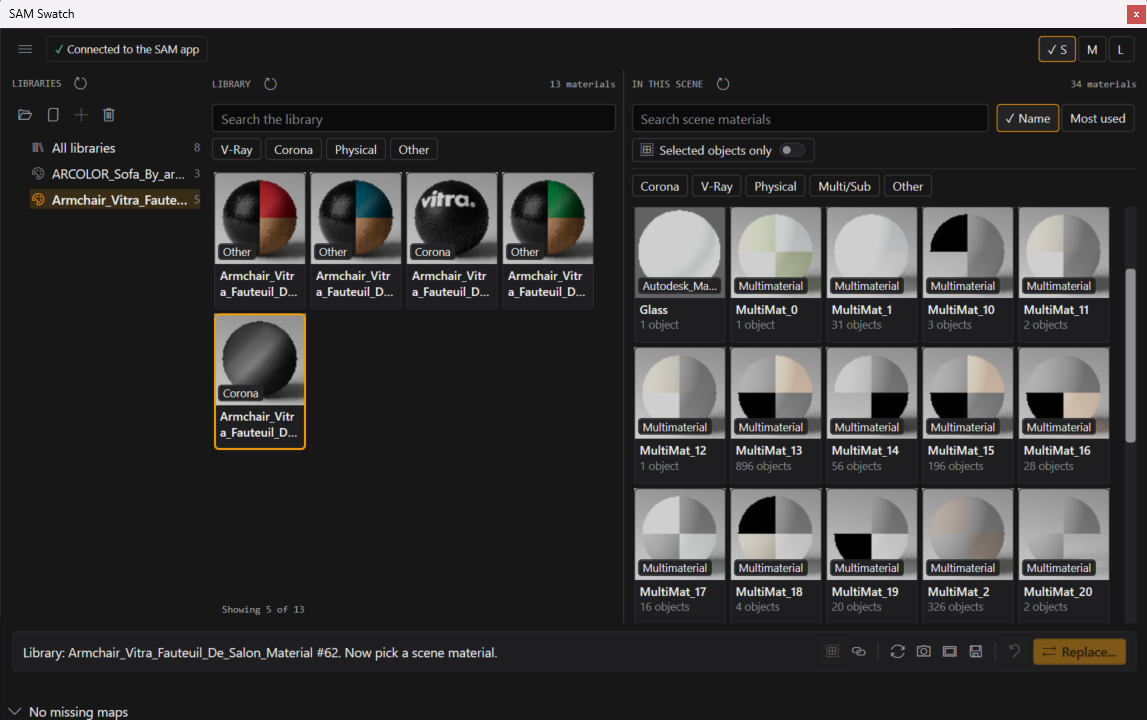
Swap a material across every object and Multi/Sub slot at once from the SAM menu in 3ds Max.
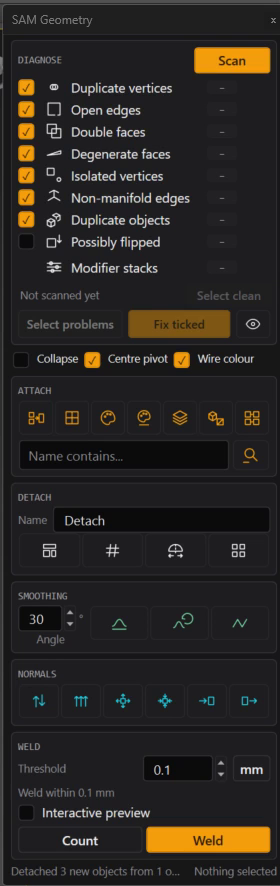
Geometry
Find duplicate vertices, open edges, flipped and degenerate faces, then fix the ticked ones, attach, detach, smooth and weld.
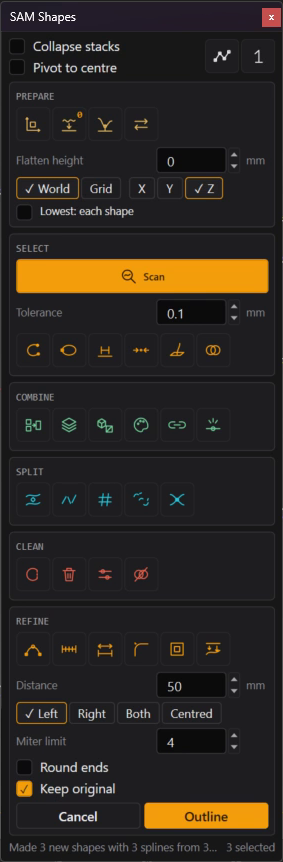
Shapes
Tidy CAD splines: flatten them, find the ones to fix, then combine, split, clean and outline.
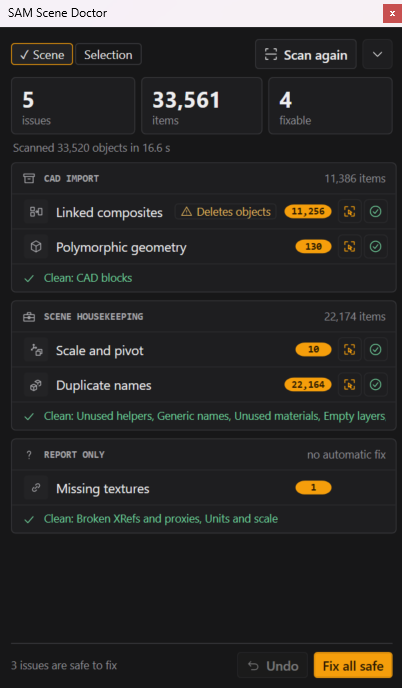
Scene Doctor
Scan a scene for junk, bad pivots and missing textures, and preview each fix first.
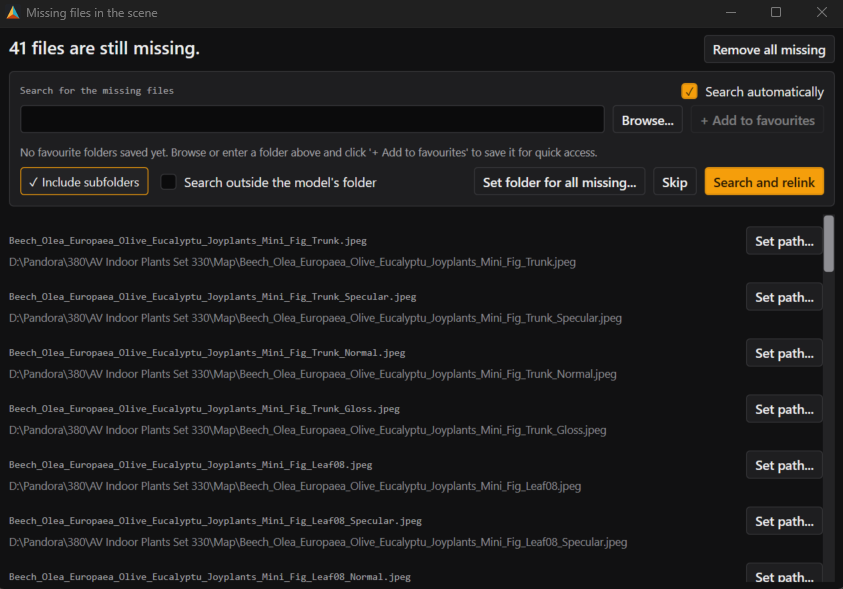
Relink missing files
Find every missing texture, proxy and IES file in the scene and relink them for every object that uses them.
Swatch
Swap a material across every object and Multi/Sub slot at once.
What it does
SAM Copier is a free Chrome extension that collects 3dsky.org product links from your open tabs or your purchase history in one click, ready to paste into SAM. No more copying links one by one.
Install
Search for SAM Copier in the Chrome Web Store, click Add to Chrome, and pin it to your toolbar.
Use it
Open tabs: click the extension icon, then Copy All Tab URLs to capture every open 3dsky.org product tab. Purchase history: open your 3dsky.org purchases page, click the icon and copy the links from the page.
What it does
SAM Spline Array is a free tool for 3ds Max. Pick your objects and your splines, set the spacing and the variation, and it fills every spline for you. Bake the result to native 3ds Max instances or copies that open on any machine, with or without the tool.
Install
Download it from the Spline Array page and unzip it, keeping the files together in one folder. Drag install.ms into 3ds Max. It installs for your Windows user only and works straight away; restart Max to see the SAM Free Tools menu. It runs on 3ds Max 2025, 2026 and 2027, needs no SAM account and no other SAM software.
Use it
Select your objects and splines, then choose SAM Free Tools, Spline Array from Selection. You can also use the Create panel, Geometry, SAM, Spline Array. Space the objects by count or by distance, from a start to an end percentage. Add random rotation, side and height offsets and scale from a seed, so the same settings give the same layout every time.
Bake and edit
Until you bake, everything stays editable in the Modify panel and follows your splines and objects as you change them. Very heavy arrays show as boxes until you choose to build them in full, so a dense tree cannot run your scene out of memory.
Your models stay on your own drives
Models, images and thumbnails are never uploaded.
Search and briefs stay local
Image search, tagging and your Set Builder brief are all handled locally.
Your folders stay as they are
SAM indexes models where they sit. It only moves or deletes files if you ask it to tidy a folder.
You see changes first
Changes to your scene are previewed before they happen, and you can undo them.