Fourappsforyour3ds Max library workflow.
Scout, Bridge, Forge, and Swatch handle different stages of the pipeline. Use one, or pair them into one seamless system.

SAM Scout
Download & OrganisationScout watches your downloads folder and automatically extracts, categorises, and organises every 3D asset into a consistent folder structure. Already have a library? Scout's Refine tools scan it, detect asset roots with confidence scoring, and restructure it to match — rename, move, and purge, all previewed in a dry run before anything changes. One consistent library in, and Bridge picks it up with zero extra setup.
Get Scout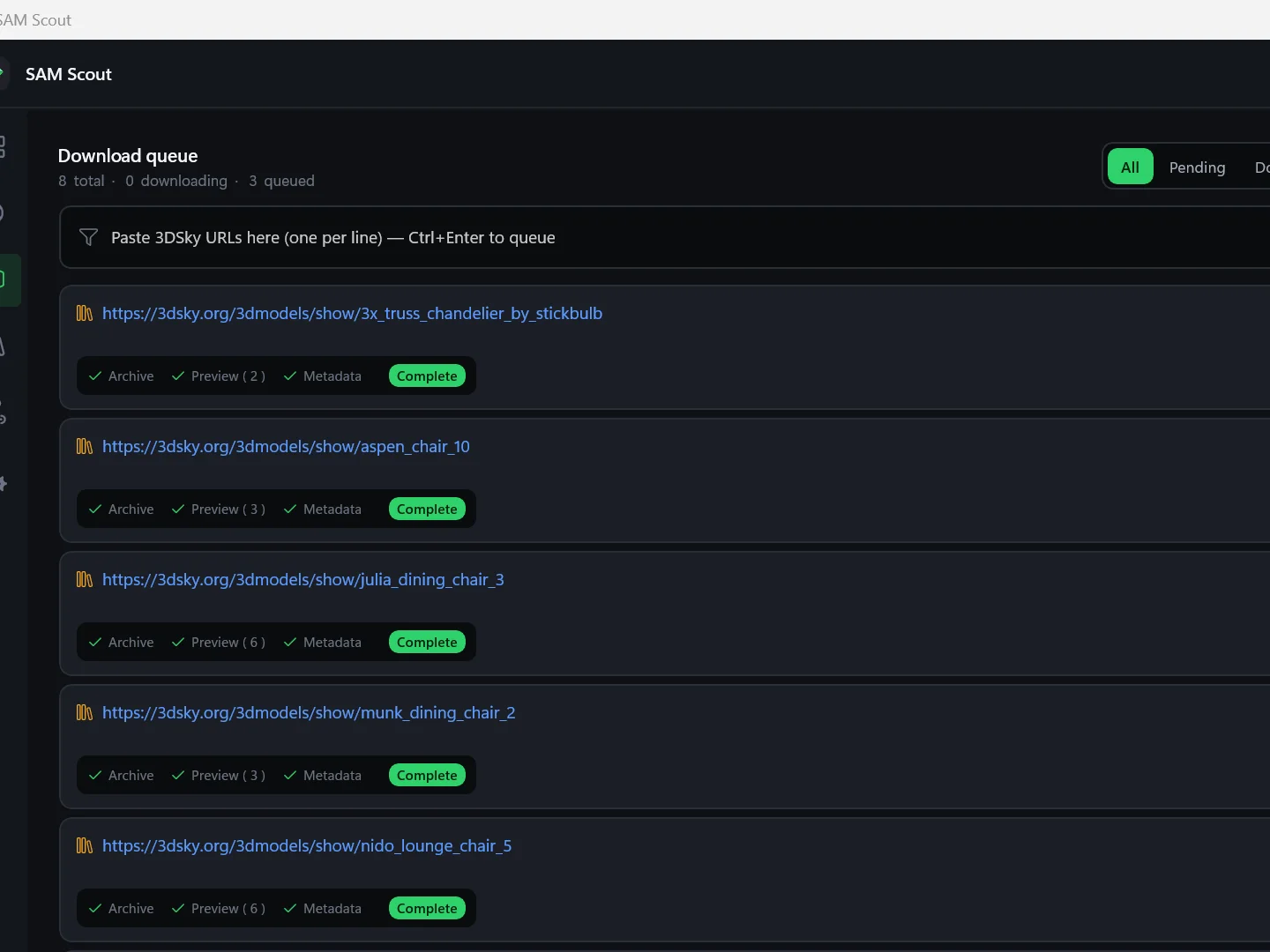
Auto-Extract Archives
Unpack zip, rar, and 7z archives automatically on download.
Smart Organisation
Rule-based folder routing with custom naming conventions.
Refine Existing Libraries
Scan a library you already have, detect asset roots with confidence scoring, and restructure it to match your rules — move, rename, and purge, previewed in a dry run first.
Format Filtering
Filter by 3D format, file size, and renderer. Skip what you don't need.

SAM Bridge
Digital Asset Management for 3ds MaxBridge is a DAM (Digital Asset Management) browser built for 3ds Max. Read .max and .mat files directly, generate instant thumbnails, drag assets into the viewport, and relink missing maps across hundreds of files — without launching separate 3ds Max instances.
Get Bridge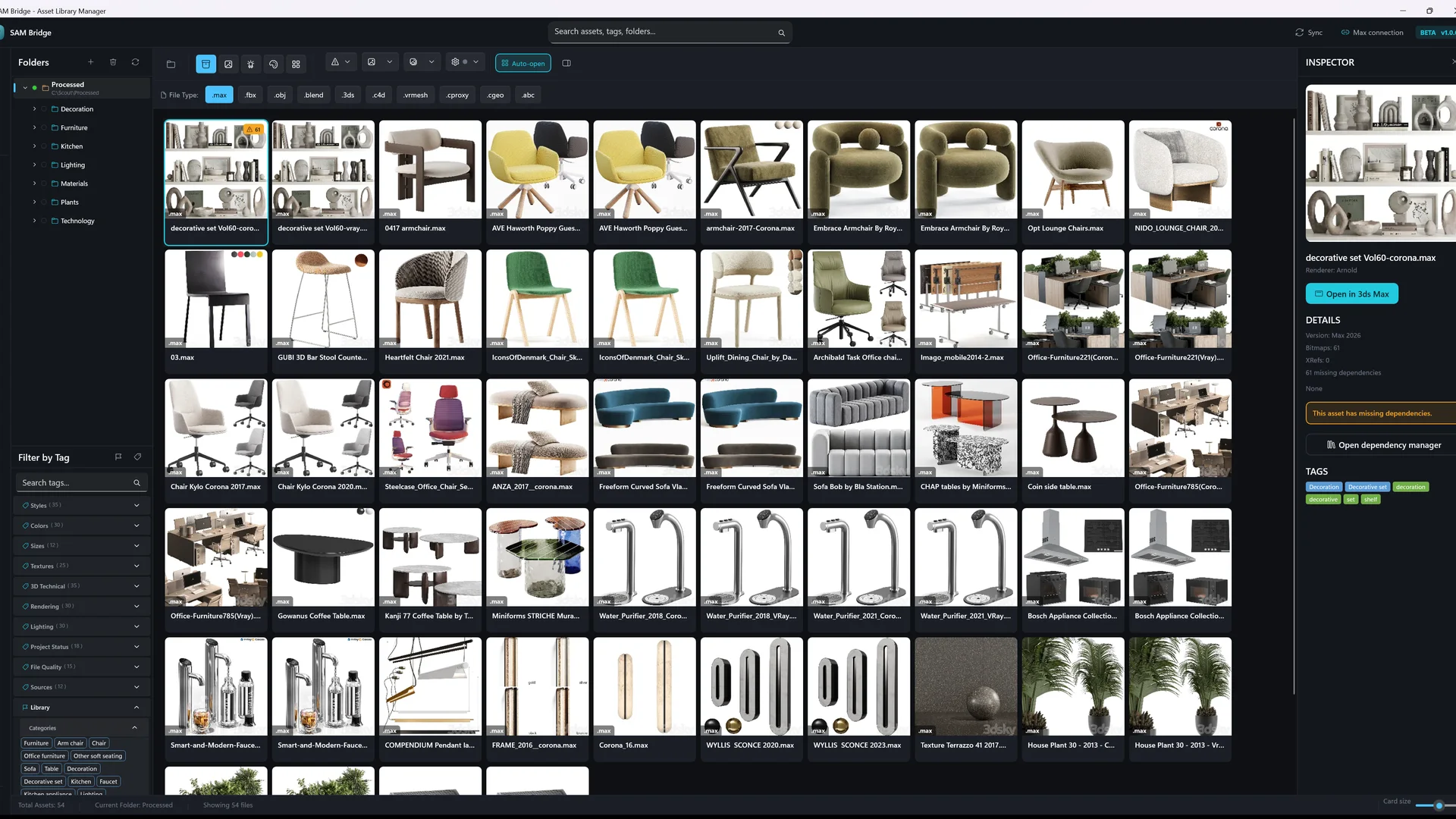
Visual Library Browser
Instant thumbnails for .max, .mat, .obj, .fbx. Filter by type, renderer, tag, and rating.
Drag-to-Viewport Merge
Drag assets directly into the 3ds Max viewport. Create V-Ray or Corona proxies on demand.
Headless Relink
Relink missing maps and assets across hundreds of .max files without opening 3ds Max. Changes persist via binary patching.
Dependency X-Ray
See every bitmap, renderer, plugin, and missing asset inside a .max file before opening it.

SAM Forge
Scene Cleanup & Batch ToolsForge replaces slow MaxScript operations with C++ native plugins that run directly on the 3ds Max SDK. Batch operations that used to take minutes now complete in seconds — rename, relink, attach, and optimise thousands of objects without Max grinding to a halt.
Get Forge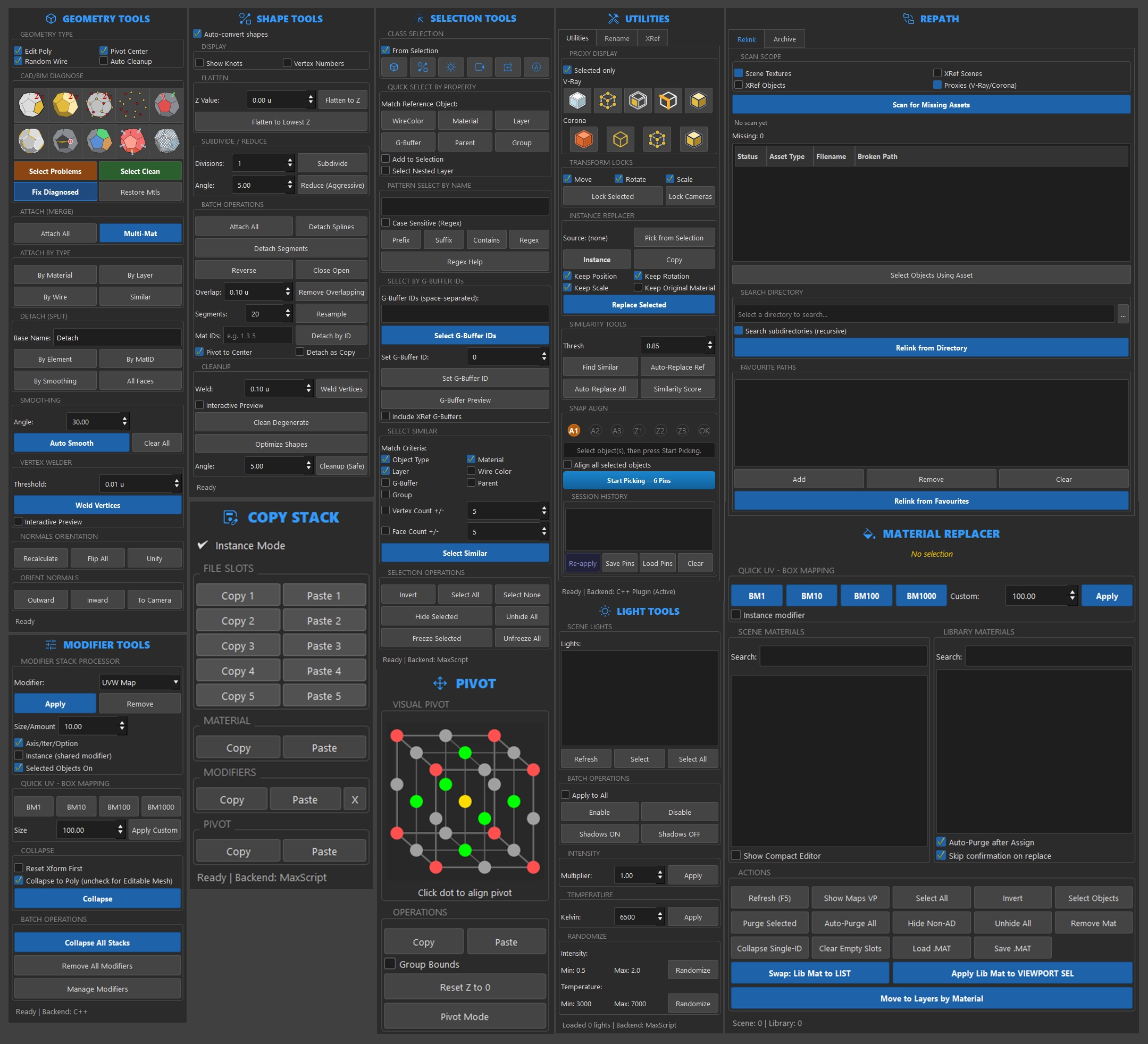
Native C++ Performance
Built on the 3ds Max SDK — not MaxScript. Bulk operations complete in seconds.
Scene Cleanup
Remove CAD junk, empty layers, and optimise scene structure.
Batch Operations
Rename, relink, and attach thousands of objects smoothly.

SAM Swatch
Material Library & Live-Scene ReplacerSwatch shows your live scene's own materials as a first-class wall next to your .mat/.max libraries, then lets you replace any scene material with a library one in a single undo-safe click — no more one-slot-at-a-time work in the Material Editor. Registers external libraries, renders previews in-process via Max's own material previews or custom scene rendering, and verifies/relinks missing texture maps across a scene or whole library.
Get Swatch
Scene + Library Side by Side
See every material assigned in your live scene as preview spheres next to your registered libraries. Compare, don't just browse.
One-Click Material Replace
Swap a scene material for another scene or library material across every object and Multi/Sub-Object slot — one undo-safe (Ctrl+Z) transaction.
In-Max Preview Spheres
Renders material thumbnails in-process using Max's own preview system. No second render process, no crashes.
Dependency Manager
Verify and relink missing texture maps (Bitmap, V-Ray Bitmap, Corona Bitmap) across a scene, a library, or the whole file.
SAM Copier
Free Chrome ExtensionGrab every 3DSky URL from your open tabs or purchase history in one click — then paste straight into Scout. The missing link between browsing 3DSky and running a bulk download.
Get the Full Suite.
One subscription, all four SAM apps. A discounted price with priority support compared to individual plans.